How to Change Address on Driving Licence? – online method
Anyone who changes their resident location and wants to change address on driving licence, we explain in this article how to change the address on a driving licence online.
You can update the address on your driving license using contactless services by Aadhar OTP verification. It is a very convenient service for people, as they do not need to visit the RTO office for the process. If you use the contactless services, the same address listed on your Aadhaar card will be updated on your driving license. If you do not use the contactless services, the application must be submitted at the RTO office.
Required Documents for Change Address on Driving Licence:
Generally, the required documents are considered:
- Address Prof (Aadhar card, Voter card, passport, light bill)
- Original Driving Licence
- Self-declaration form (if applicable)
How to Apply for a Change Address on Driving Licence online Application?
Steps for Change of Address on a Driving Licence
-
Open Parivahan
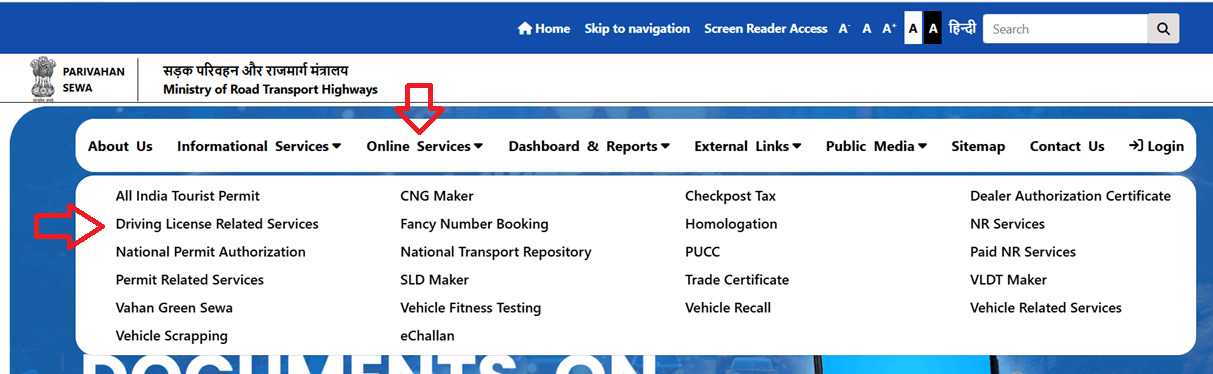
First, open the Parivahan official website: https://parivahan.gov.in and select Driving Licence Related Services from Online Services menu.
-
Select State
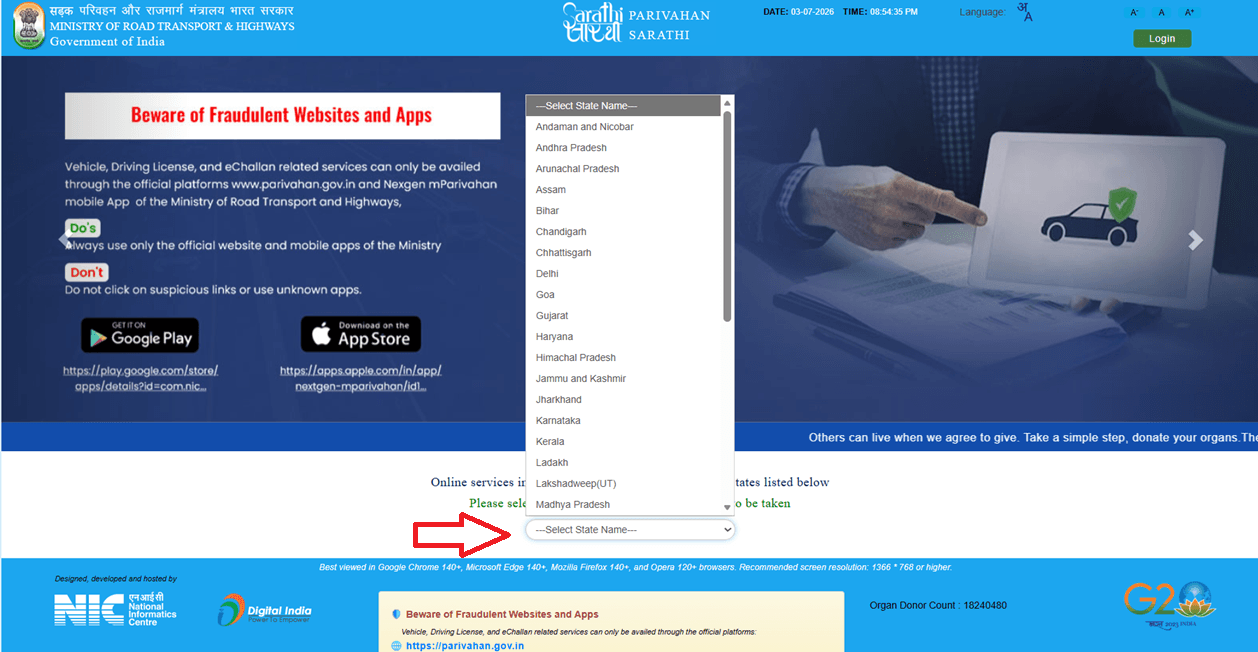
Select your state and your RTO location.
-
Select Change Address menu
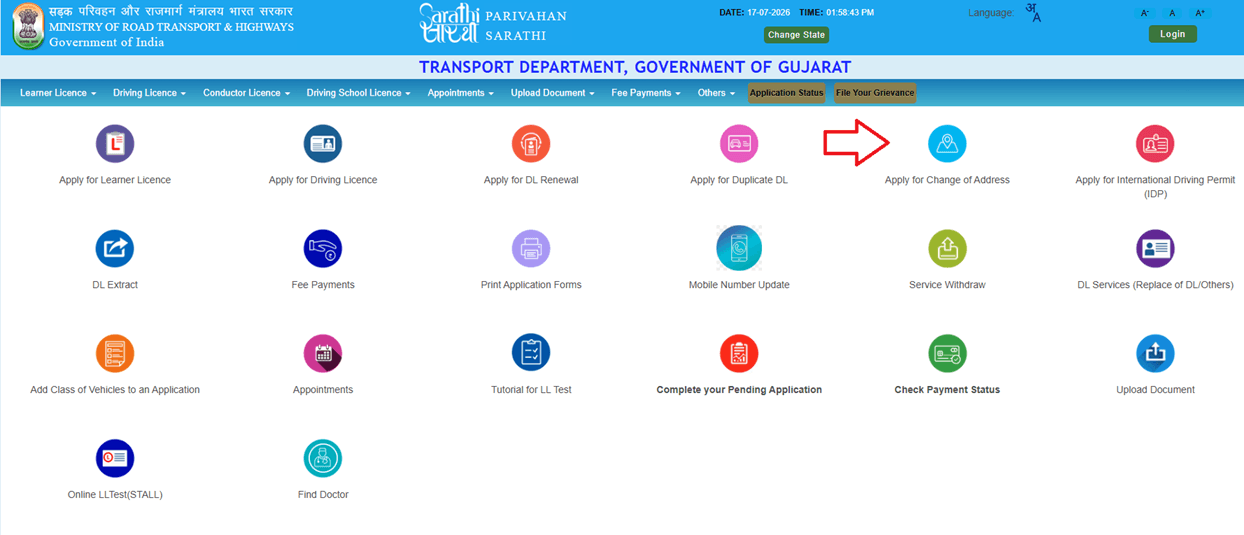
Now, select from the main menu the Apply for Change Address option.
-
Show instruction
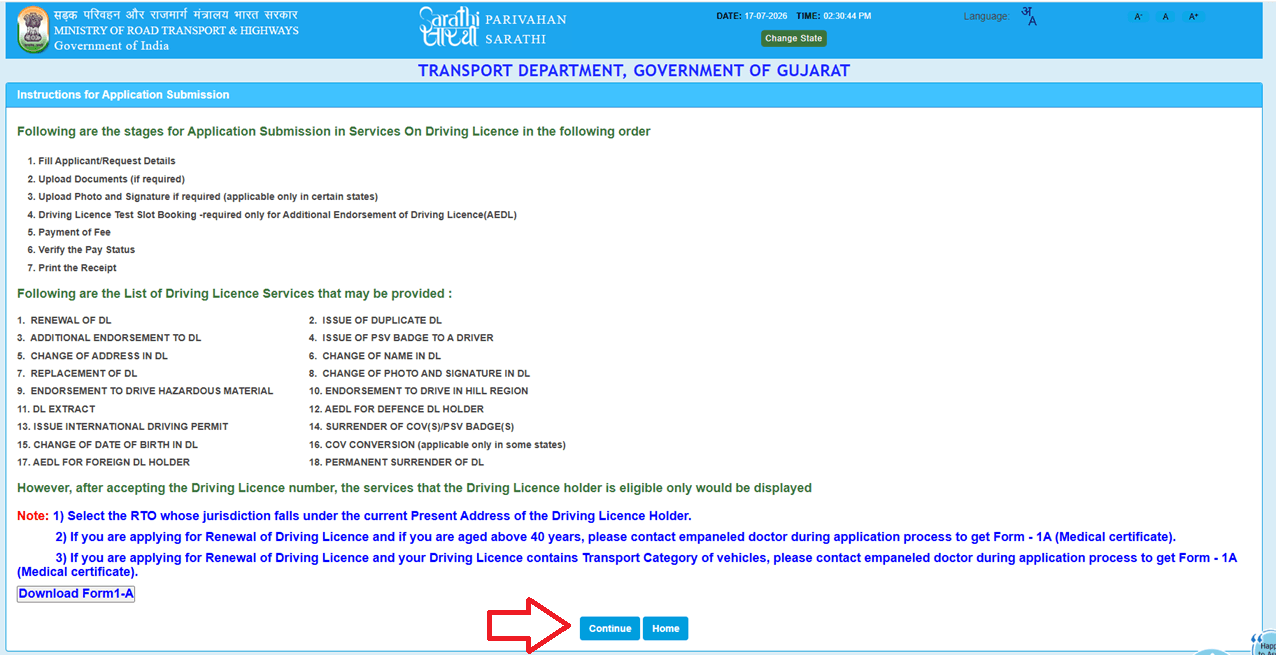
On-screen show instructions on how to apply the application online and provide step-by-step information. Click on the Continue button.
-
Enter DL details
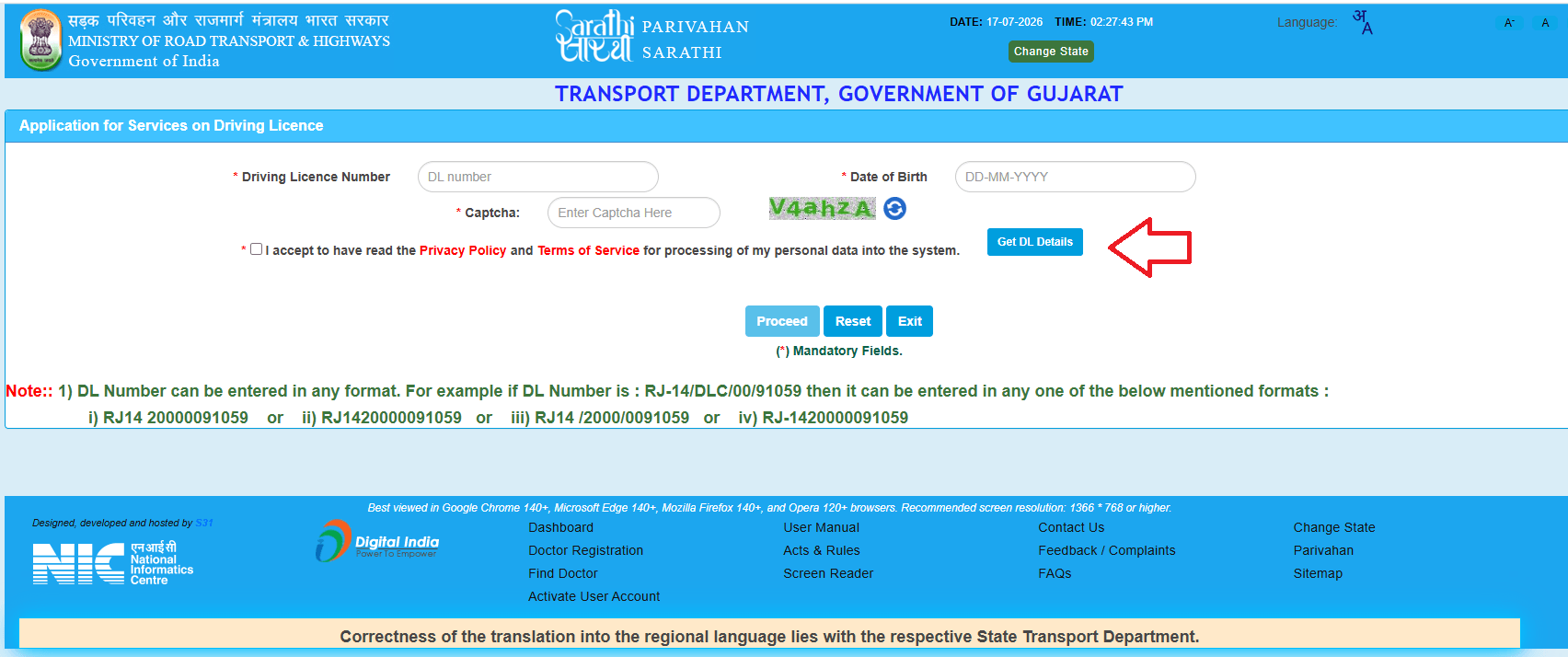
Enter your driving licence details, such as your driving licence number, date of birth, and captcha code, then click the GET DL Details button.
-
Show your driving Licence details
Show all details of your driving licence on screen, check this information, and click the Continue button.
-
Select services
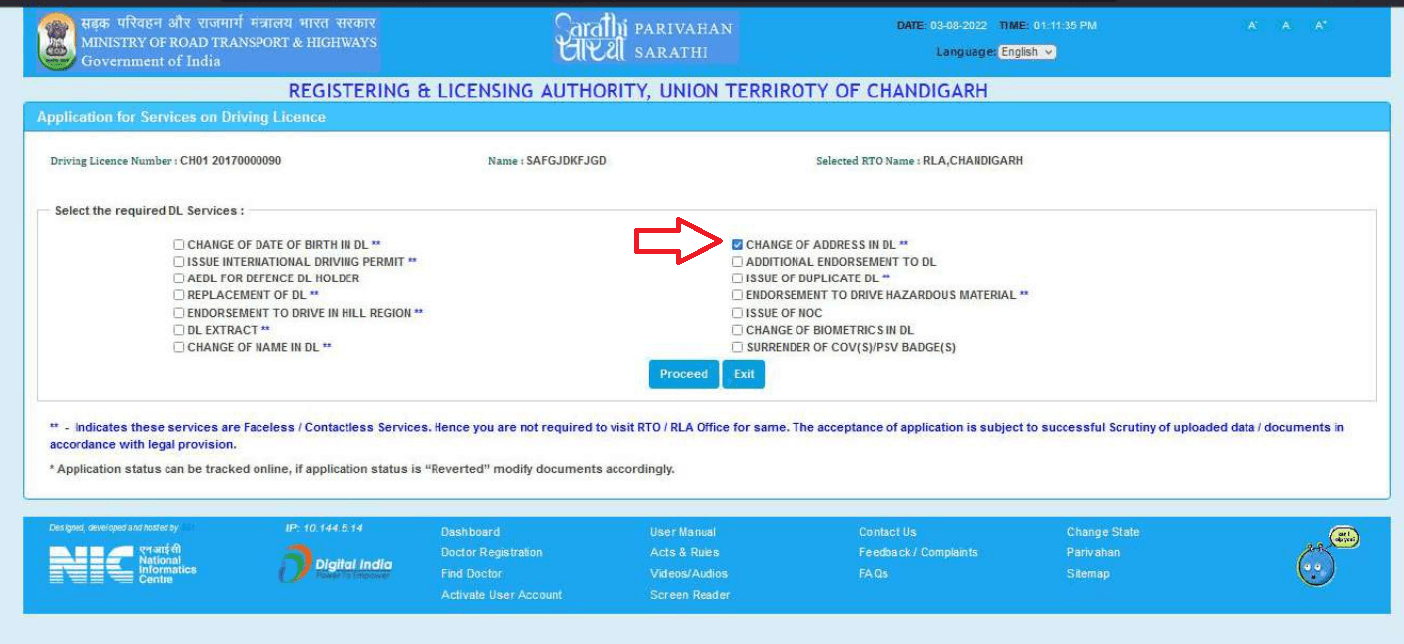
now show all services and select CHANGE OF ADDRESS IN DL
-
Select Contactless services
Now show two options for authentication, select Aadhar-based authentication, and authenticate with Aadhar OTP. It will show your Aadhar address on the screen.
-
Upload Documents
Now, click on the upload documents button and upload your driving licence, Aadhar card.
-
Pay fees
Next, click on the Pay fees button. You need to pay 200 rupees as application fees for updating the address on your driving licence.
-
Submit Application
The final step is to submit your application and click on the Submit button. after submit your application, generate a reference number. If you applied using the contactless service, no need to visit the RTO office. Your driving license will arrive at your home in a few days.
How to check the change of Address in the driving licence application status?
You applied for a change of address on your driving licence application and want to check the status of your application. Follow the process below:
- Open Parivahan website: https://parivahan.gov.in
- Select your state.
- Select the menu item Online Service to Driving Licence Related Services.
- Now, select the top menu to Application Status.
- Enter the application number, date of birth, and click on the Submit button.
- Show your application status on screen.
Direct link for Check DL Application status: https://sarathi.parivahan.gov.in/sarathiservice/applViewStatus.do
Read More: How to check Driving Licence Status?
FQA (Frequntly Ask Questions)
Can I change my driving licence address offline?
Yes. Visit your nearest Regional Transport Office (RTO) with the required documents and submit an application for an address change.
Do I need to visit the RTO after applying online?
It depends on your state and the service workflow. Some applications are processed completely online, while others may require document verification or biometric verification at the RTO
What documents are accepted as address proof?
Commonly accepted documents include:
Aadhaar Card,
Passport,
Voter ID,
Electricity Bill,
Water Bill,
Gas Connection Bill,
Registered Rent Agreement,
Bank Passbook or Bank Statement.
Any Governement ID.
Source of Information: https://parivahan.gov.in.
