
e Challan – Check and pay online using Parivahan Portal
Check E challan and pay online is very easy process using Parivahan website. If you break a traffic rule while drive a vehicle on road, you will get challan by traffic police. if you got e challan by traffic police then need to must pay online using Parivahan.
Check e-challan Status
In this article show how to check and pay echallan online using Parivahan Portal.
How to Check e Challan using Parivahan Portal?
echallan is a digital fine for violence traffic rule and vehicle owner must pay echallan.
check echallan steps:
- First visit Parivahan Portal : https://parivahan.gov.in/
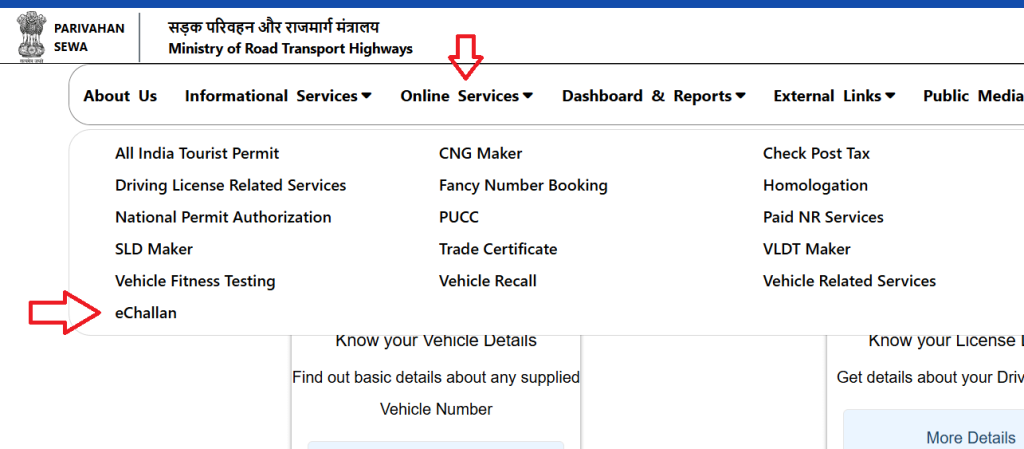
- open parivahan portal and select main menu to Online Service to echallan.
- Enter Challan number/ vehicle number/DL number
- open e challan portal and enter your challan number or vehicle number.
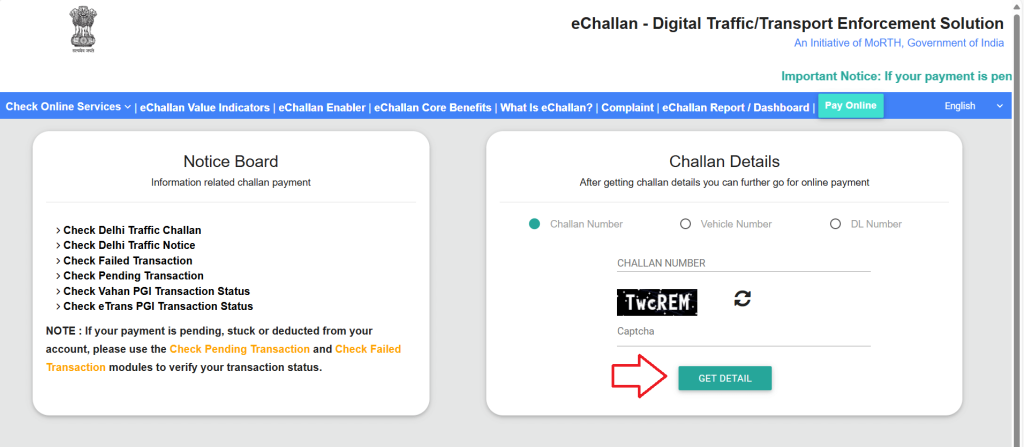
- Click on Get Details
- Click on Get Details button, show your challan on screen. if you got challan then show.
How to Pay e-challan online?
Easy to pay your e challan online using Parivahan Portal.
Follow below steps:
- First visit echallan Parivahan Portal: https://echallan.parivahan.gov.in/
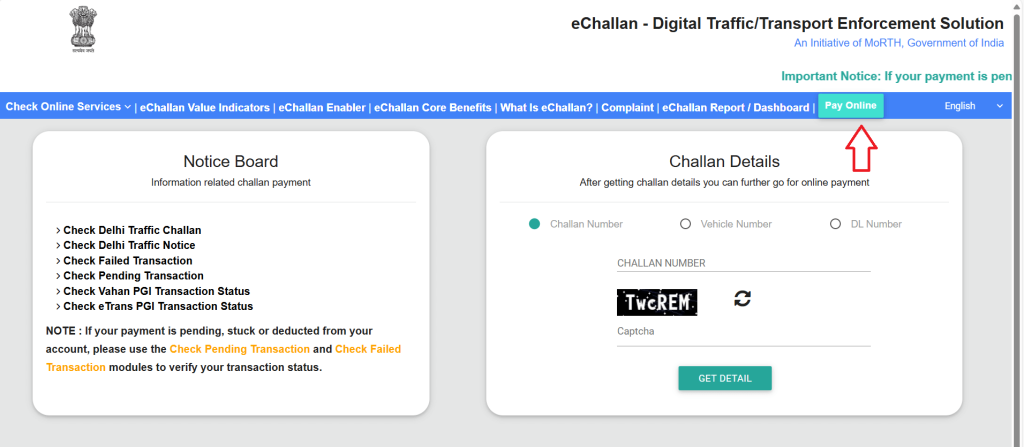
- open echallan parivahan portal page. click on Pay Online button.
- Enter Challan number/ vehicle number/DL number
- open e challan portal and enter your challan number or vehicle number.
- Click on Get Details
- Click on Get Details button, show your challan on screen and Pay button.
- Click Pay Now
- Click on pay Now button and show fine amount
- Pay using UPI/ Net Banking
- open payment page and pay by banking details or UPI
How to Check Pending Transaction and Check Failed Transaction?
- First visit echallan Parivahan Portal: https://echallan.parivahan.gov.in/
- open echallan Parivahan official website
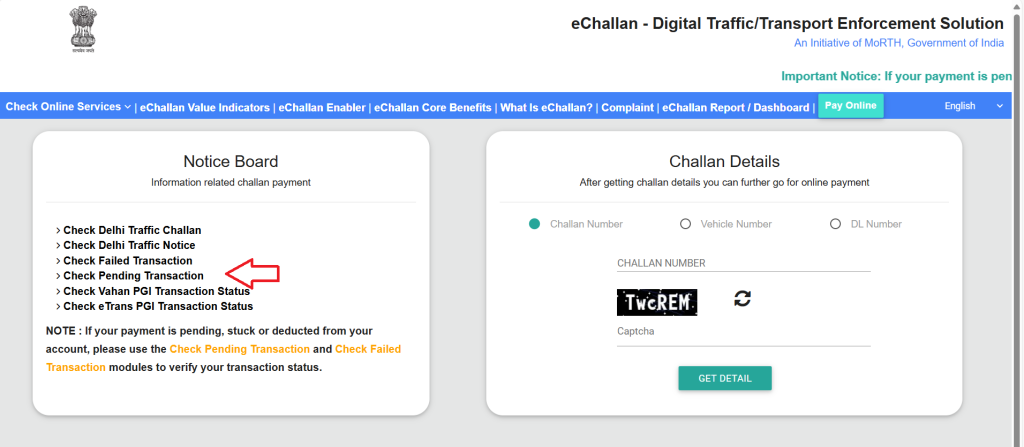
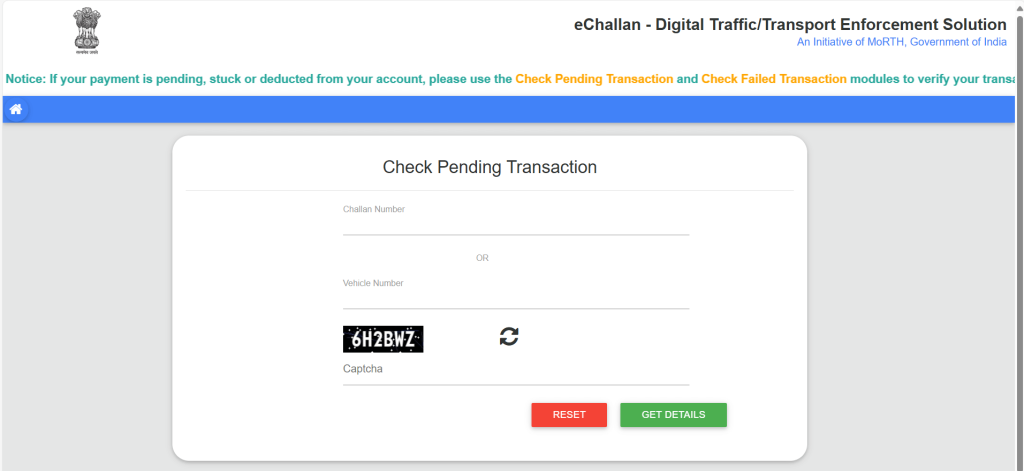
- Click on Check Pending Transaction
- if you want to check pending transaction then click on side bar to Check pending transaction.
- Enter Challan Number
- Enter your challan number and click on GET DETAIS button. show your echallan payment status
FAQ (Frequently Ask Question)
How can I check my pending e-Challan online?
You can check your pending e-Challan online by visiting the official Parivahan e-Challan portal.
Enter your vehicle number, DL number, or Challan number, then click “Get Detail.”
It will show all pending challans with payment status and violation details.
How long does it take to update payment status?
Usually, the payment status updates instantly or within 24 hours.
You can revisit the e-Challan portal and check the status using your challan number.
What if my challan is showing “Pending” after payment?
If payment remains “Pending” after 24 hours:
Wait for one business day (sometimes delay occurs in bank-to-RTO sync).
Check your bank transaction receipt.
If still unresolved, contact helpdesk-echallan@gov.in or your local RTO office.
What happens if I don’t pay the challan?
Unpaid challans may result in:
Vehicle registration suspension
Driving licence blockage
Additional penalties or court summons
Always clear pending challans promptly to avoid further legal action.
How to Check Pending Transaction and Check Failed Transaction?
If our payment is pending, stuck or deducted from your account, please Click on Check Pending Transaction and Check Failed Transaction