
How to Update RC Book Mobile Number online? [Guide]
You can easily update mobile number in rc book using Parivahan portal. Updated mobile nummber in vehicle register certificate (RC Book) is very importants for vehicle owners. Parivahan portal make all services online and update or other information share on mobile throw SMS. If your mobile number up to date on rc book then you will recieve notification about rc book.
Benifits of updated mobile number on rc book:
Online Application: If your mobile number is registered in the RC book, You can apply easily for RC Book related services online like a update rc book, chande address and etc with authentic with mobile OTP.
Communication with RTO: RC Book related notifications are received on the mobile. If you have applied for a RC renewal or other services, you will receive a notification regarding the application status on your mobile. Vehicle-related OTPs, RC-related notifications, eChallan alerts, Ownership service updates, Other transport department communications.
How to Update Mobile number in RC Book online?
If your mobile number changed and want to update mobile number in vehicle RC book then follow below steps:
Steps for Update mobile number in RC Book
Visit Parivahan website
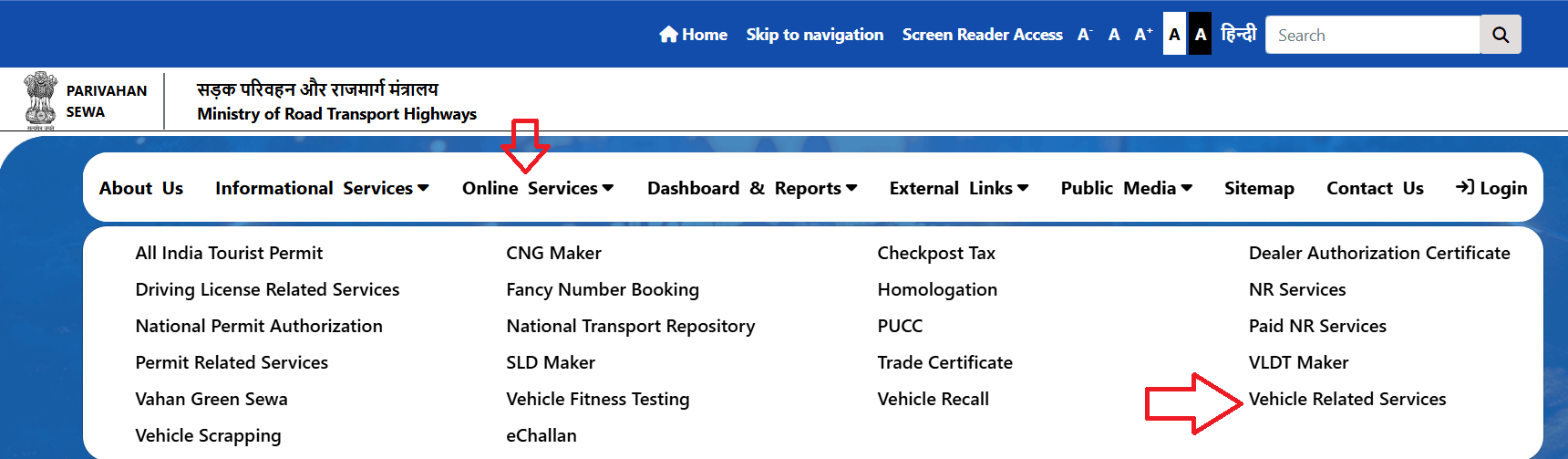
First, open Parivahan official website: https://parivahan.gov.in, select main menu to Online Services to Vehicle Related Services.
Select State
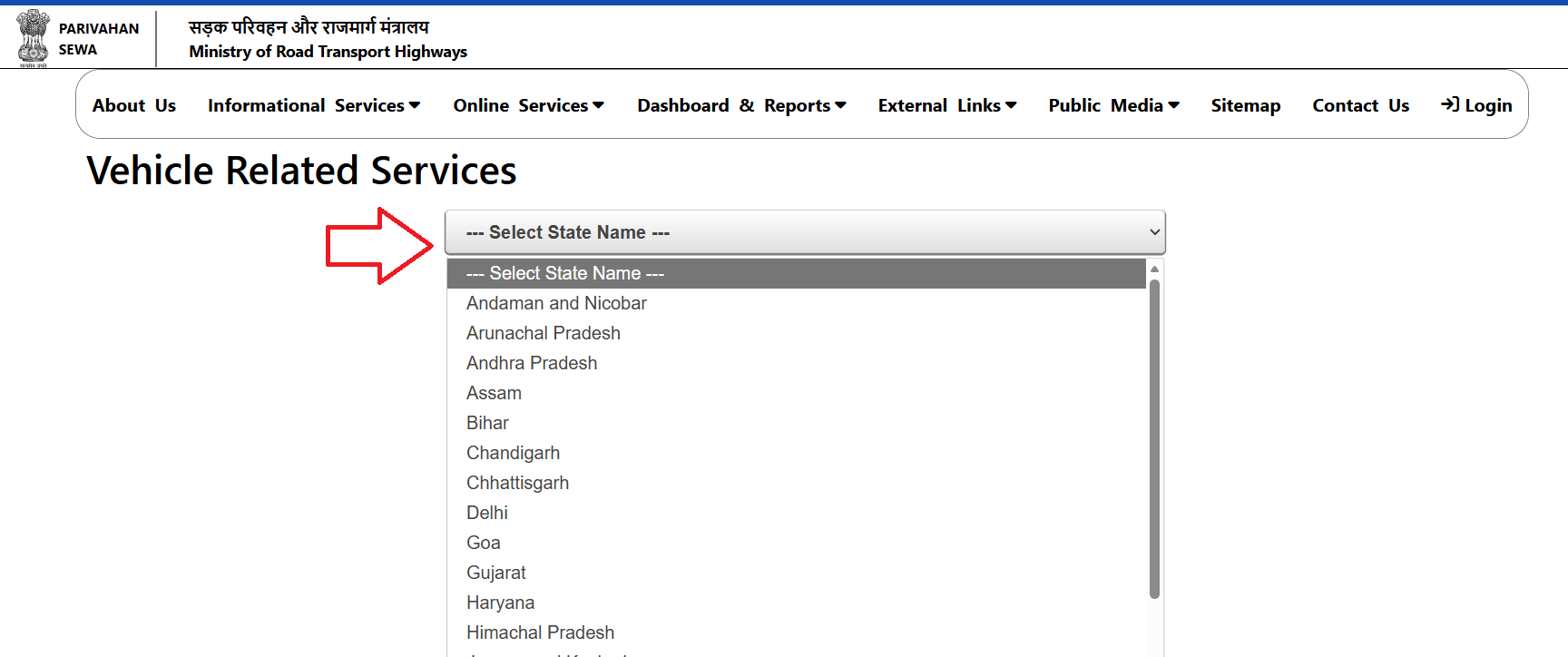
Now select your state when register your vehicle.
Select your RTO
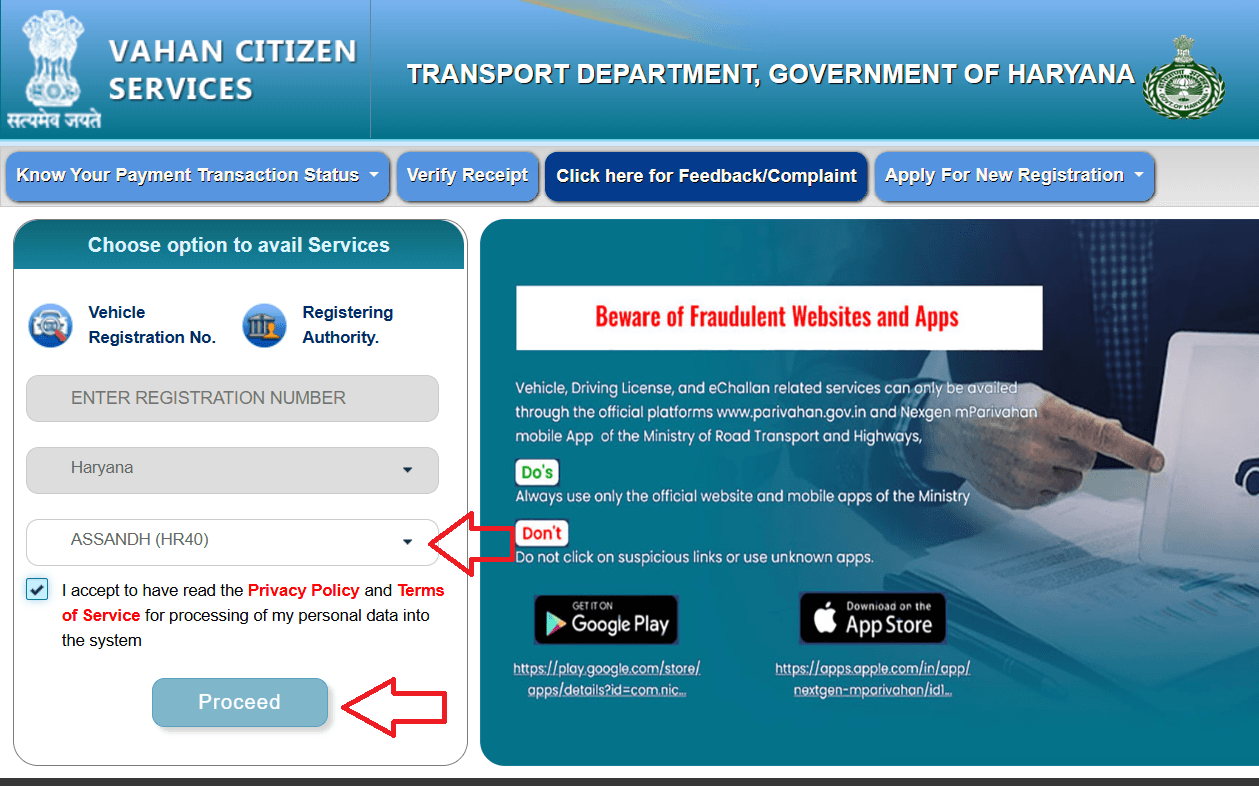
Select from drop down to your RTO name and click on Proceed button.
select Update Mobile number menu
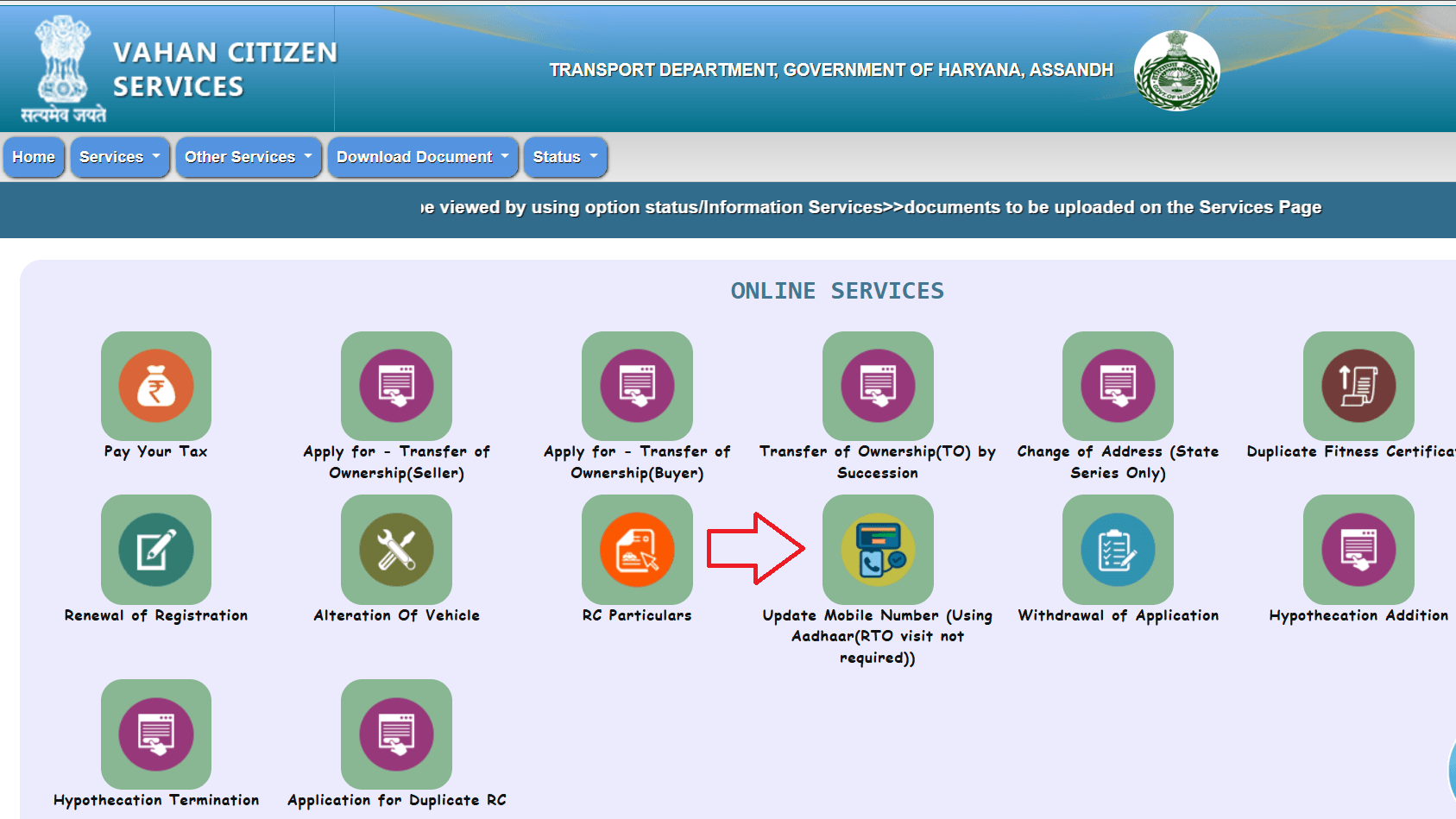
next, select from menu to Services > Additional Services > Update Mobile Number (Using Aadhar ( RTO visit not required))
Login with vehicle details
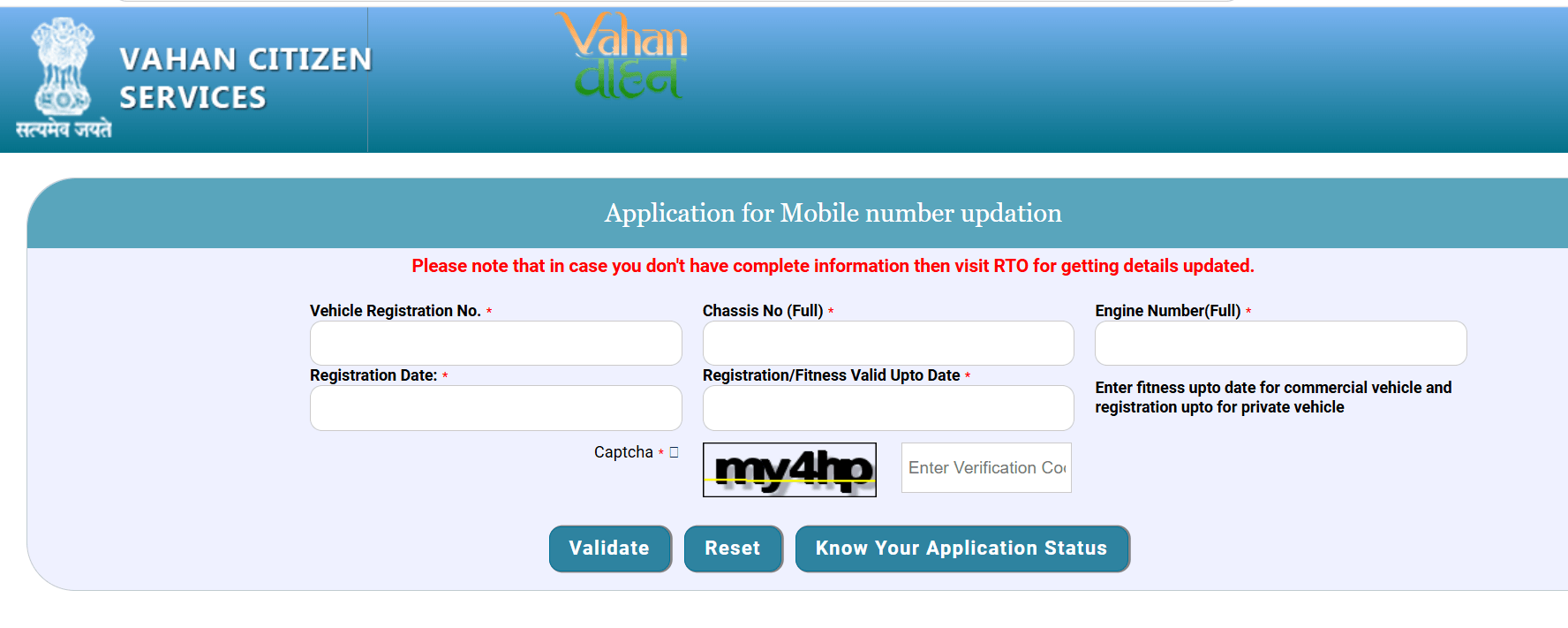
Enter your vehicle registration number, chassis number, engine number, registration date, registration valid upto date and captch, after click on Validate button.
Note: Please note that in case you don’t have complete information then visit RTO for getting details updated.
Enter Aadhar number
after validate, enter your aadhar number and authenticate with OTP. show your aadhar data on screen with new number. enter your new number and validet with OTP.
Submit Application
After validate your mobile number, Click on submit application button and complete your application process. now shoud update your mobile number on RC book.
Diect Link for Update mobile number on RC book: https://vahan.parivahan.gov.in/mobileupdate/
Freqently Ask Questions (FAQ)
Can I update my RC mobile number offline?
Yes. Visit your nearest Regional Transport Office (RTO) with the required documents and request a mobile number update.
Will I receive an OTP during the update process?
Yes. OTP verification is commonly used to authenticate your identity and confirm the new mobile number
What if I no longer have access to my old mobile number?
You can still request an update. Depending on your state’s process, you may need to complete identity verification or visit the RTO.
